Table of Contents Show
Everyone acts like you need a laptop to start a blog.
You don’t. I know people who manage entire websites from a five-year-old Android phone with a cracked screen. The laptop is a comfort, not a requirement. What you need is an internet connection, a free platform, and something useful to write about.
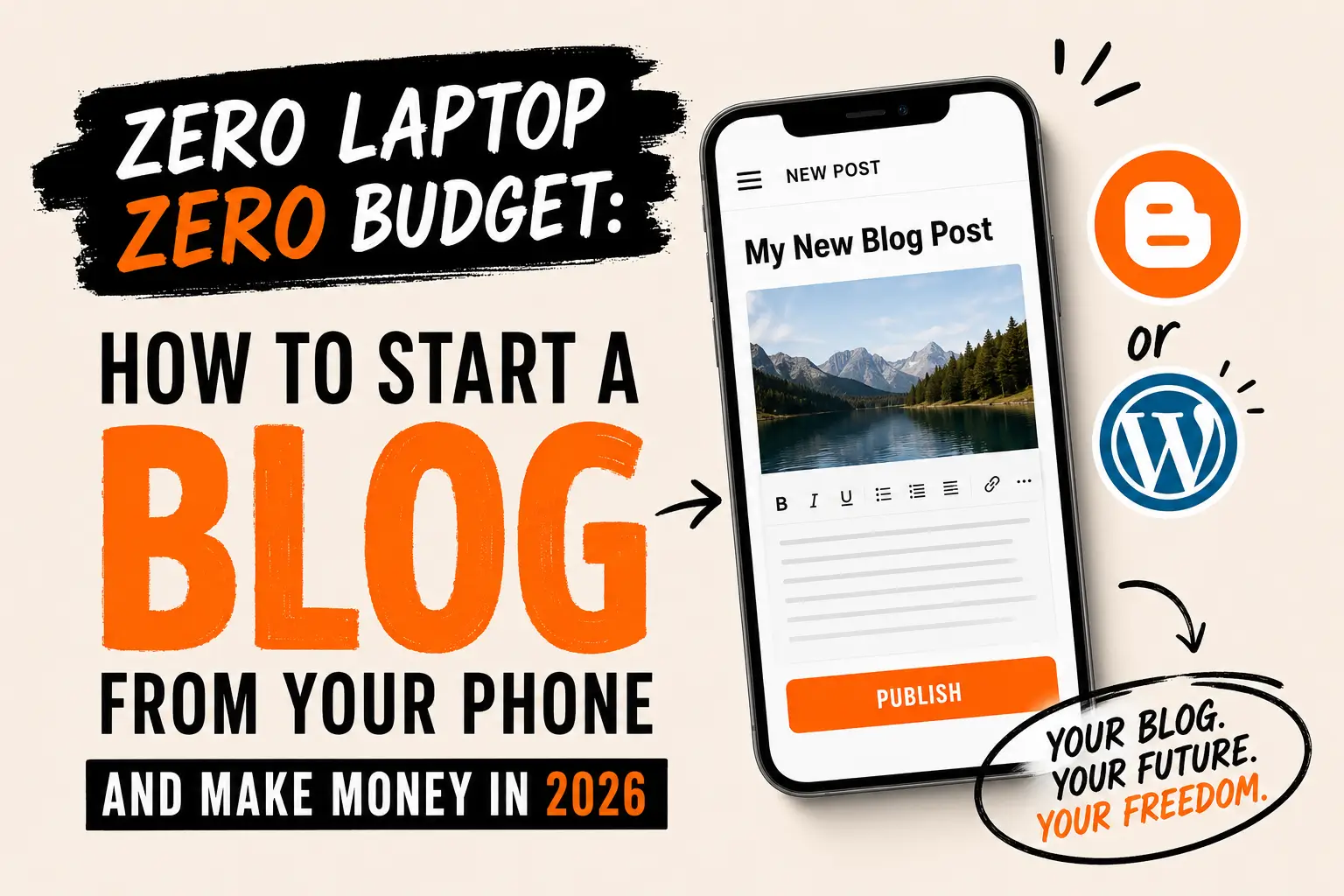
If you have been putting off starting a blog because you do not have the right equipment, this article is going to remove that excuse completely. I am going to show you exactly how to start a blog from your phone and make money — step by step, with no budget required.
Can You Really Run a Blog From Just a Phone?
Let me be honest with you because most articles on this topic are not.

Running a blog from a phone is possible. It is also slower and more frustrating than using a laptop. Typing long articles on a small keyboard takes longer. Formatting can be finicky. Uploading images requires extra steps. Some plugins do not display correctly on mobile dashboards.
That said, every single thing you need to start, publish, and grow a blog can be done from a phone. Writing, editing, formatting, uploading images, sharing on Pinterest, checking traffic stats, responding to comments — all of it works on mobile.
So the answer is yes. And the fact that it is harder is actually an advantage. Most people give up at the inconvenience. The ones who keep going end up with something valuable.
Step 1: Pick a Niche You Can Write About for a Year
A niche is just a topic. But the right niche is the difference between a blog that grows and one that dies in month three.
You do not need to be a certified expert. You need to be one step ahead of your reader. If you figured out how to budget on a low income, you can write for people who are just starting to figure that out. If you found ways to keep a toddler entertained at home, you can write for parents in the same situation.
Niches that work well for beginner blogs in 2026:
- Personal finance and budgeting for families
- Making money from home (like this blog)
- Simple home organization for small spaces
- Meal planning and budget cooking
- Parenting toddlers and young children
- Self-improvement and habit building
- Crafts and DIY projects
The key rule: pick something you can write at least fifty articles about without running out of ideas. If you struggle to think of ten topics right now, choose a different niche.
Step 2: Choose Your Blogging Platform (Free Options That Work)
For a beginner starting with zero budget on a phone, you have two strong free options.
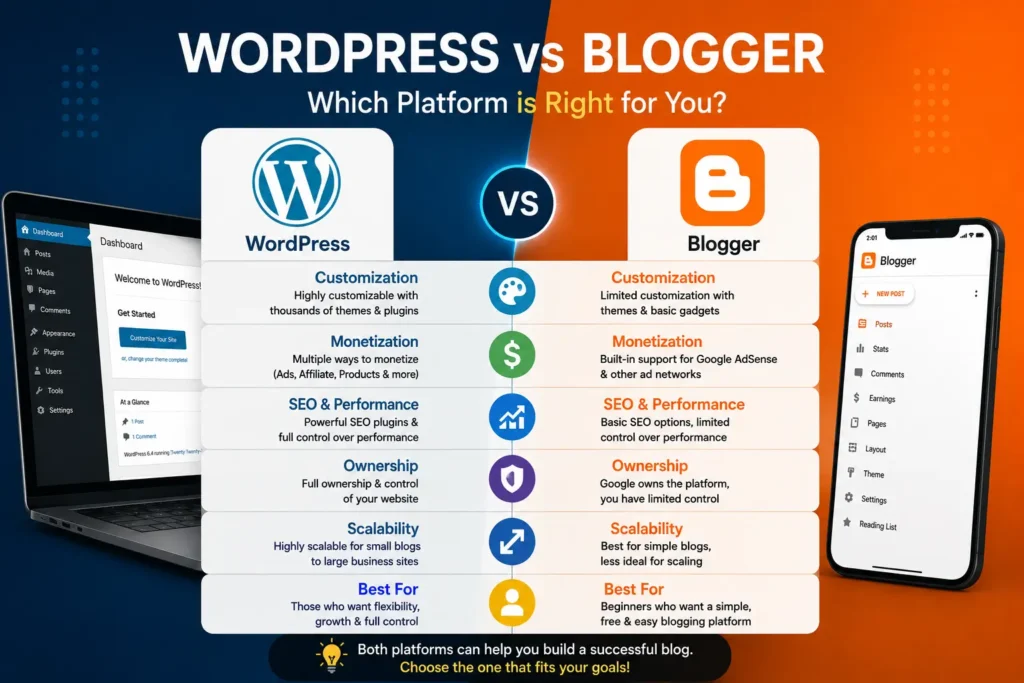
WordPress.com (free plan) The most widely used blogging platform in the world. The free plan gives you a subdomain (yourname.wordpress.com), basic customization, and a mobile app that works well for writing and managing posts. If you want to earn money from ads or affiliate links eventually, you will need to upgrade to a paid plan or move to self-hosted WordPress — but the free plan is a real starting point.
Blogger (by Google) Completely free, no upgrade required to show ads. You can connect Google AdSense to a Blogger blog and earn from ad revenue without paying a cent for hosting. The platform is older and less customizable than WordPress, but it works smoothly on a phone browser and has no hidden costs.
My honest recommendation: Start on Blogger if you want to earn from ads as soon as possible without any cost. Start on WordPress.com if you care more about design and long-term flexibility, and plan to invest in hosting later.
WordPress.com and Blogger are both free to join today.
Step 3: Set Up Your Blog in Under 30 Minutes
On your phone browser, go to the platform you chose and create an account. Pick a blog name that reflects your niche. It does not need to be perfect. You can always change it later. What matters is that you start.
Choose a clean, simple theme — one with white background, readable fonts, and mobile-friendly layout. Do not spend hours on this. Your theme is not what makes people stay on your blog. Your content is.
Create three basic pages:
- Home (your latest articles)
- About (one paragraph about who you are and who the blog helps — no need to use your real name)
- Contact (a simple email address or contact form)
That is enough to launch. You do not need a logo. You do not need a professional header image. You need one published article.
Step 4: Write Your First Article the Right Way
Your first article needs to solve a specific problem for a specific person.
Not: “Welcome to my blog” Not: “10 General Tips for Saving Money” But: “How I Cut My Grocery Bill in Half Without Coupons (And What I Ate That Week)”
The second type of article answers a question someone is already typing into Google. That is how people find your blog — through search engines, not through your follower count.
How to write a blog article from your phone:
Use the notes app or the built-in editor on your blogging platform. Write in short paragraphs — two to four sentences maximum. Use simple subheadings to break up the text. Write like you are explaining something to a friend, not submitting an assignment.
Aim for at least 800 words for your first article. Longer articles rank better in Google search results. You do not need to write 2,000 words in one sitting. Write in chunks. Save your draft. Come back to it.
One formatting rule that matters on mobile: After every two or three paragraphs, add a subheading. It breaks up the wall of text and makes your article feel readable on a small screen — which is how most of your future readers will see it.
Step 5: Get Traffic Without a Social Media Following
The fastest free traffic source for a new blog is Pinterest. Not Instagram. Not TikTok. Pinterest.
Pinterest is a search engine disguised as a social media platform. People type what they are looking for — “budget meal plan for a family of four” or “how to make money from home with a phone” — and pins appear. Your blog articles can show up in those results with zero followers.
Here is how to use it from your phone:
- Create a free Pinterest Business account
- For each blog article, create one or two vertical images in Canva (1000×1500 pixels works well)
- Add a bold text overlay with the title of your article
- Pin it to a board that matches your niche
- In the pin description, write two to three sentences using the exact keywords your reader would search
That is your traffic strategy. One pin per article. No dancing. No going live. No follower games.
Over time, as your articles and pins accumulate, traffic compounds. An article you published six months ago can suddenly start getting a hundred views a day from Pinterest or Google. That is the power of a blog — it works while you are not.
How the Money Actually Flows
Once your blog has content and traffic, here are the three main ways it earns money:
Affiliate commissions: You recommend products or tools you genuinely use, and when a reader clicks your link and buys, you earn a percentage. Amazon Associates is the easiest program to join as a beginner. Commission rates are low, but the volume makes up for it over time.
Display ads: Once your traffic grows, ad networks place ads on your blog automatically and pay you per page view. Google AdSense accepts new blogs. Mediavine and Raptive pay significantly higher rates but require more monthly traffic to qualify. Start with AdSense and upgrade as you grow.
Your own digital products: This is where blogs become real income engines. The articles bring the reader. The reader trusts you. You offer them a printable, a template, or a guide that solves their exact problem. They buy it directly from your blog. No middleman. No platform fee beyond your payment processor.
The Honest Timeline
I am not going to tell you your blog will earn money in thirty days.
For most blogs, the first real traffic from Google comes between three and six months after publishing consistently. The first affiliate commission might come in month two or four. The first product sale might come sooner if you promote on Pinterest.
What I will tell you is this: every article you publish is a permanent asset. It does not expire. It does not disappear when you stop posting. A blog is one of the few things you can build with nothing but a phone, an internet connection, and the willingness to keep going when no one is reading yet.
Most bloggers quit before month four. The ones who stay past month six almost always find their footing.
Open Your Phone and Start
Pick a niche. Open Blogger or WordPress.com. Choose a name. Write the first sentence of your first article.
You do not need a logo. You do not need a laptop. You do not need anyone’s permission.
The blog that changes your income situation is the one you actually start — not the one you plan while waiting for better conditions.
What will your first blog article be about?
Disclosure:
This article may contain affiliate links. If you make a purchase through these links, I may earn a small commission at no extra cost to you. I only recommend platforms and tools I have personally researched or tested. This is not financial advice — your results may vary.