Table of Contents Show
I had zero followers when I made my first Etsy sale.
No Instagram page. No email list. No Pinterest following. No one waiting for me to launch anything. Just a PDF I made in Canva on a Sunday afternoon, a listing I wrote in thirty minutes, and a search engine that did all the work for me.
If you have been told you need to build an audience before you can sell anything on Etsy, you have been told wrong. Etsy is not Instagram. It is not TikTok. It is a search engine. And search engines do not care how many followers you have. They care whether your product matches what someone is typing right now.
That is your advantage. And in this article, I am going to show you exactly how to use it.
Why Etsy Is Different From Every Other Selling Platform

Most people who want to make money selling digital products think they need to grow an audience first. Post consistently. Build a following. Then sell.
Etsy flips that entirely.
When someone opens Etsy, they are already in buying mode. They are not scrolling for entertainment. They are typing “printable weekly planner” or “editable invoice template” or “budget tracker PDF” because they want to buy something right now. Your only job is to show up in those results.
That is what makes it possible to sell digital products on Etsy without an audience. You do not bring traffic to Etsy. Etsy already has the traffic. Millions of buyers every month. You just need to position your product in front of them.
No followers required.
Step 1: Choose a Digital Product That Already Has Buyers
The biggest mistake beginners make is creating something they love and hoping someone will buy it. Instead, look for what people are already searching for on Etsy and create that.
Go to Etsy right now. Type a broad word into the search bar — “planner,” “template,” “tracker,” “checklist.” Look at the auto-suggestions that drop down. Each one of those is a real phrase that real buyers type every day. Those are your product ideas.
Digital products that consistently sell on Etsy:
- Printable daily and weekly planners
- Budget trackers and expense logs
- Editable resume and cover letter templates
- Wedding planning checklists
- Meal planning sheets
- Social media content calendars
- Baby feeding and sleep trackers
- Habit trackers and goal-setting journals
You are not inventing a market. You are walking into one that already exists.
A note on competition: If you search a term and see hundreds of results, that means there is demand. Do not run from competition. Study the top-selling listings. Read their reviews. Look at what buyers wish was different. Build a slightly better version of what is already selling.
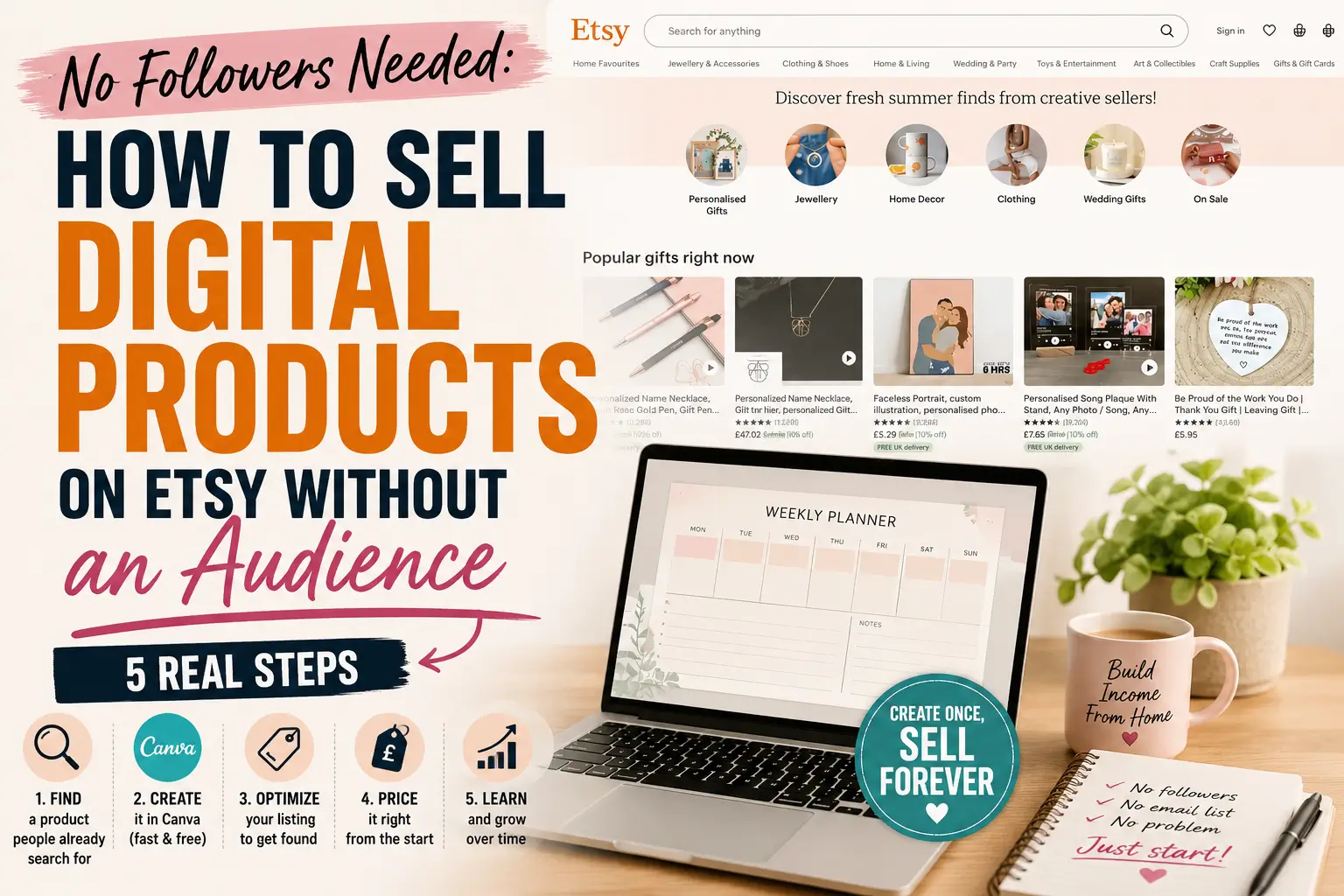
Step 2: Create Your Product in Canva (Free, From Your Phone)
You do not need to buy software. You do not need design skills. Canva is free and works from a browser or phone app.
Here is how to create your first product tonight:
- Open Canva and search for the type of template that matches your product idea. Search “weekly planner,” “budget tracker,” or whatever you chose.
- Pick a free template you like. Change the colors and fonts to make it look like yours. Change the title and the layout if needed.
- Make sure the content is genuinely useful. Add sections, labels, and structure that actually help the buyer.
- Download the finished file as a PDF — standard quality is fine for most planners and trackers.
That is your product. The entire thing can take between thirty minutes and two hours depending on how much you customize.
One important tip: Create a multi-page product when possible. A “30-Day Budget Planner” with thirty daily pages feels more valuable than a single-page sheet — even if the content is similar. Buyers perceive more pages as more value.
Step 3: Write a Listing That Gets Found
Your listing title and tags are how Etsy’s search engine decides when to show your product. This is where most beginners go wrong.
Your listing title should contain the exact phrase a buyer would search.
Not: “Beautiful Pastel Budget Organizer for Busy Moms” But: “Printable Monthly Budget Tracker PDF — Expense Log for Beginners — Instant Download”
The second version contains three searchable phrases. Etsy matches those phrases to buyer searches.
Your tags work the same way. Etsy gives you 13 tag slots. Use all 13. Each tag should be a phrase — not a single word. Think like your buyer. What would they type? “Weekly meal planner printable.” “Daily schedule PDF.” “Editable budget template.” Use the full phrase in each tag.
Your description should answer the buyer’s questions before they ask them:
- What is included in the download?
- What format is the file? (PDF, PNG, XLSX?)
- How do they access it after purchase?
- Can they edit it or is it a static PDF?
- What size is it designed for?
Clear descriptions reduce refund requests and build trust with buyers who have never purchased from you before.
For a deeper guide on Etsy SEO and tags, Etsy’s own Seller Handbook is the most reliable and up-to-date resource you will find.
Step 4: Price It Correctly From the Start
Pricing a digital product feels strange because there is no material cost. You are pricing your time, your effort, and the value it delivers — not the file size.
A practical pricing guide for beginners:
- Simple single-page printables: $2 to $5
- Multi-page planners or trackers (5 to 30 pages): $5 to $12
- Editable templates (resume, budget spreadsheet): $8 to $20
- Complete bundles (multiple products together): $12 to $35
Do not underprice out of fear. A $1 product looks low-quality. A well-designed 20-page planner at $7 looks like a deal. Price with confidence.
You can always lower the price if it is not selling. But starting too low is harder to recover from than starting too high.
Step 5: Use Your First Listing to Learn, Not Just to Earn
Your first listing will probably not sell in the first few days. That is normal and expected.
Etsy’s algorithm rewards shops that have sales history, reviews, and engagement. Your first listing is how you start building that history. It does not need to be perfect. It needs to be live.
After it is published, watch your shop stats inside your Etsy seller dashboard. Etsy shows you how many people viewed your listing, how many favorited it, and how many bought. If you have views but no sales, your mockup images or description need work. If you have almost no views, your title and tags need work.
That data tells you exactly what to fix. No guessing.
Once you have your first listing, build a second one. Then a third. Shops with more listings get more overall traffic. Each listing is another door for buyers to walk through.
The Part I Have to Be Honest About
Your first sale will not come the day you publish.
For most new Etsy shops, the first sale comes somewhere between two weeks and two months after opening. That is not a failure. That is how Etsy’s algorithm works — it takes time to index your listings and test them in search results.
The people who quit after one week never find out what would have happened in week five.
What I want you to understand is this: every digital product you list is a permanent, passive asset. It does not expire. It does not go stale. A planner you upload today can sell three years from now. You are not working for a paycheck. You are planting seeds in a garden that you own.
Keep planting.
Your Next Move Is Simple
Pick one product idea from the list above. Open Canva. Build it tonight.
You are not waiting for followers. You are not waiting for someone to validate your idea. You are opening a store in a marketplace with millions of buyers who are already looking for what you are about to make.
The only thing Etsy needs from you is a listing. Give it one.
What digital product are you going to create first?
Disclosure:
This article may contain affiliate links. If you make a purchase through these links, I may earn a small commission at no extra cost to you. I only recommend platforms and tools I have personally researched or tested. This is not financial advice — your results may vary.